AdvancedMT5

X-STOX News Hunter Pro

Recentring straddle grid for news and event spikes

A MetaTrader 5 Expert Advisor built for the minutes around CPI, non-farm payrolls and FOMC. It rests a tiered ladder of stop orders on both sides of the price before the print lands, lets the number decide which side fills, and rides the move out on a hard trailing stop that sits at your broker rather than in your terminal. A grid strategy — read the risk section before you buy.

The problem it solves

Trading a release by predicting the direction means being wrong half the time at the worst possible moment. This does not predict: it rests orders on both sides beforehand, lets the print pick the side, and manages the resulting basket out with a stop that lives at the broker rather than in your terminal.

Platform
MetaTrader 5
Market
Gold · M1
Licence
Lifetime
Updates
Free, forever
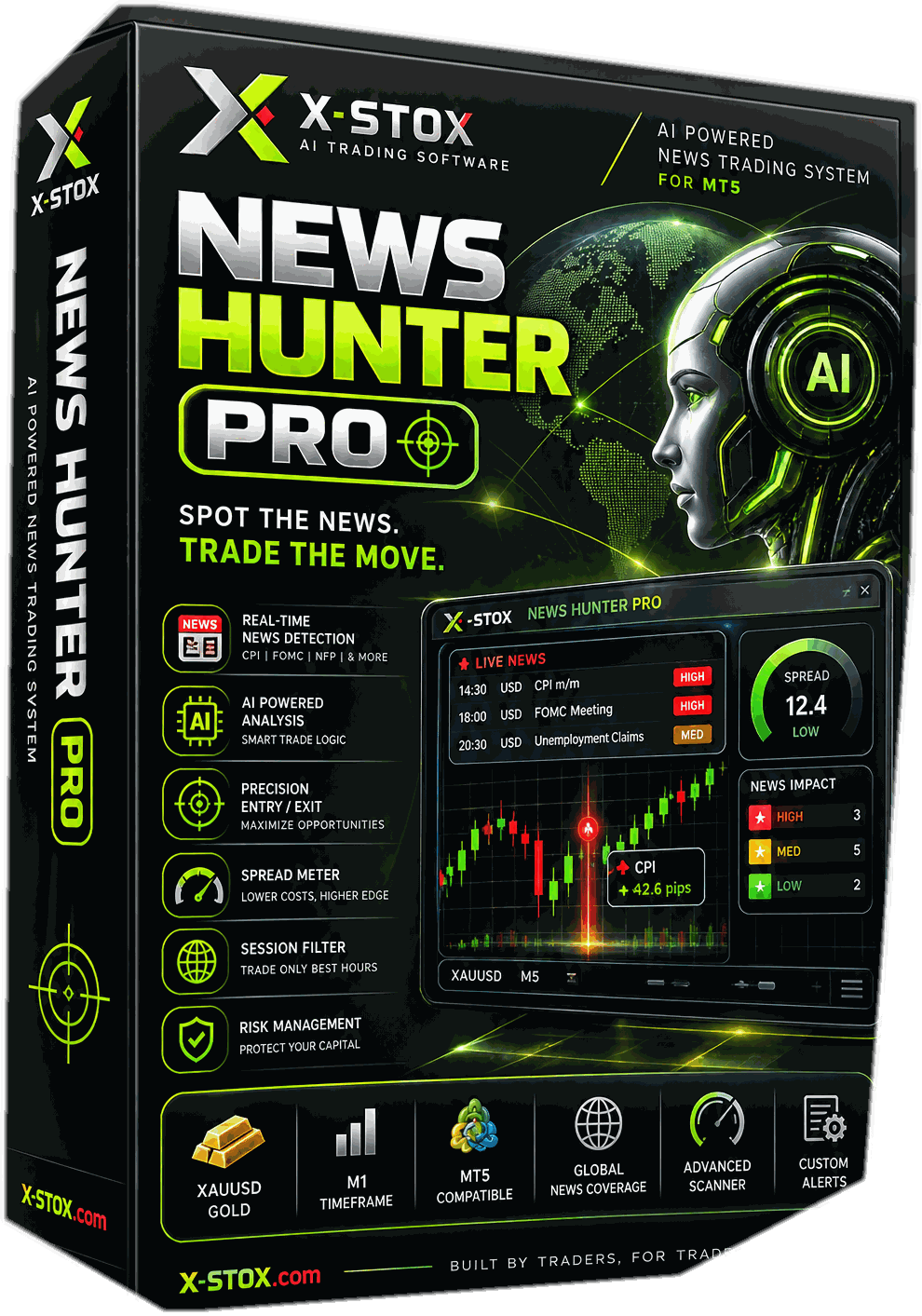
X-STOX News Hunter Pro package

What you see on Chart

Live On Chart Panel

From a live MetaTrader 5 terminal — not a mock-up. Click it to open full size.

The command panel on a live account, mid-session. Click to open it full size.

A schematic of the panel, not a screenshot of one. Block proportions follow the real thing so the two read together; no values are shown, because everything in those slots is either your account data or a setting.

One grid, end to end

What happens from the moment the ladder is laid

The same stages run every time. Where a run ends is decided by what price does after the break — not by anything the engine concluded beforehand.

A diagram of the paths through the logic, not a claim about how often each one occurs. The log shows events only — no prices, sizes or results.

Execution log

Running
  • RESTLadder resting — no prediction made
  • DROPSpread above ceiling — grid not laid
  • GRIDLadder deployed — both sides pending
  • FILLBuy stop filled — basket live
  • TIERNext tier filled — size increased
  • TIERNext tier filled — size increased
  • ARMClear of break-even — broker stop written
  • TRAILLevel raised — never moves back
  • CLOSEStop filled — every leg out together

Illustration of the event stream the engine writes. Events only — no prices, sizes or results are shown.

Run 1 of 3 — Breaks and runs

  1. 1

    Ladder laid

    Buy stops above, sell stops below, a fixed distance apart, each tier larger than the one inside it. Nothing about it is directional yet.

  2. 2

    Break

    Price crosses the first level on one side and that order fills. The market picked the side, not the software.

  3. 3

    Filling

    Each further level the move crosses adds a larger position. Break-even is recalculated on every fill and moves toward price.

  4. 4

    Stop armed

    The side is far enough above its own break-even for a real stop-loss to be written onto every leg at the broker.

  5. 5

    Ratcheting

    The level follows the best price reached and never moves back. Legs that fill afterwards adopt the current level automatically.

  6. 6

    Banked

    Price touches the stop, or the move travels far enough from the centre to bank the basket. Everything closes together and a fresh grid is laid.

Stop armed, ratcheted, basket closed on it

In detail

How News Hunter Pro works

01

Built for the prints that move gold

CPI, non-farm payrolls, FOMC. You attach it across the releases that produce a real move, and before the number lands a ladder of buy stop orders is already resting above the price with a mirrored ladder of sell stops below it — a fixed distance apart, each level larger than the one inside it. Nothing about the setup is directional. The print picks the side.

02

No signal, and no news filter

The economic calendar is read and shown on the panel with a countdown, an impact rating and the last release’s actual against forecast — but it is information for you, and it never gates a trade. The session-hour filter was removed for the same reason. If you are expecting software that waits for a signal, this is not that, and the difference matters more than anything else on this page.

03

The exit is a real order at your broker

Exits are placed with your broker as genuine stop orders, so they keep working when your machine does not. The level only ever moves in your favour, and once it has been set the basket cannot close below its own break-even.

04

It banks, then starts again

Once a move has travelled far enough from where the grid was laid, the basket is banked and a fresh ladder is built at the new price. That is what keeps it working through an extended run rather than sitting on a grid the market has left behind.

05

A panel you can act from

Everything the engine knows is on one panel: state, uptime and server clock, the calendar block with its countdown and phase, floating result in the largest type on screen, today’s realised result and deal count, exposure and lot counts, spread and ping dials, and an action log of the last thing it did. It is drawn as a single composited bitmap, so it stays sharp at any zoom and costs almost nothing to redraw.

06

One button that flattens everything

Emergency Exit cancels the entire pending ladder in a single burst, closes every open position and latches the engine so nothing can redeploy until you clear it. You also choose its reach: this EA on this chart, this EA everywhere, or every position on the symbol including your own manual trades.

07

Your licence, validated offline

Your copy is locked to one MT5 account number and checked inside your own terminal, so it will run on a machine with no connection at all and cannot be switched off remotely. One licence issues two keys, so a demo account can run alongside your live one. If a licence lapses mid-basket the engine keeps managing and trailing what is already open — it stops new exposure, never abandons existing positions.

What it is for

CPI, payrolls, FOMC — the minutes gold actually moves

This is not an engine you leave running all month. It is built for the prints that produce a violent, one-directional move, and the way you use it is to have it attached across them. The ladder is already in the market before the number lands; when price leaves the centre, the orders on that side fill the whole way up and a hard trailing stop rides the move out and banks it.

  • You choose the events. The panel tells you when they are.

    The calendar block counts down to the next qualifying release, so you know when to be attached and watching. The engine itself never reads that countdown — the section below is explicit about why.

  • A clean directional break is the case it is designed around

    One print, one direction, the ladder filling into it, and a stop that follows the running peak and closes every leg together at the top. That is the run this engine exists for.

  • Not every print behaves like that

    A number landing close to forecast, leaving price chopping around the centre, is the bad case — and it is the one that fills both sides of the ladder in turn. The risk section further down is specific about it rather than general.

A diagram of the intended use, not a recorded trade. Distance is measured in grid levels rather than price, and no profit, size or result is shown or implied.

The mechanic that matters

It never guesses the direction — it is already on both sides

You run it across the releases that actually move gold — CPI, non-farm payrolls, FOMC. A symmetric ladder of stop orders is already resting above and below the price when the number lands, spaced a fixed distance apart, with order size growing the further out each level sits. Whichever way the print sends the market, the orders on that side fill one after another and the basket builds into the move. There is no indicator and no entry signal: the engine does not need to know what the number was, only to be standing on both sides of it.

  • There is no signal to be wrong about

    Nothing is predicted, so nothing can be predicted wrongly at the worst possible moment. Both sides are already resting in the market before the number lands, and the print decides which of them fills.

  • The basket is managed as one position

    The whole group is opened, tracked and closed as one thing, never as a set of separate trades that could be left half-unwound. Break-even, exposure and the floating result are recalculated on every fill, and when the basket closes, it closes in a single action.

  • Each tier is larger than the one inside it

    The further a move extends, the bigger the positions being added to it. Exposure is therefore at its largest exactly when price is at its most stretched — which is what makes a clean run profitable and a reversal expensive.

  • The stop only exists once the side is far enough ahead

    Because every larger fill drags break-even up toward price, a fast run can fill much of the ladder without ever getting far enough above its own break-even for a stop to be written. Until it arms, there is nothing resting underneath the basket.

A diagram of the mechanism, not a record of results. The axis counts grid levels rather than dollars, and the ladder is drawn five levels a side for legibility — the real depth, spacing and sizing are settings you control.

The calendar on the panel

It tells you what is coming. It never tells the engine.

The panel reads MetaTrader 5’s own licensed economic calendar and shows the next event, a live countdown, its impact and currency, the last release’s actual against forecast, and which phase of a release you are standing in. That is how you decide when to be attached. It is not how the engine decides anything — its behaviour is identical in every phase of every event.

  • The filter was removed on purpose

    Standing the engine down around a high-impact release would stand it down at the exact moment the strategy exists for. A news filter would be working against it, so there is not one — and the session-hour filter is gone for the same reason. This is a design decision, not a missing feature.

  • It reads the terminal’s own feed

    The data comes from the licensed MetaQuotes calendar already inside MT5. Nothing is scraped from a website, nothing depends on a third-party service staying up, and nothing about your account is transmitted anywhere.

  • It reads OFFLINE in the Strategy Tester

    MetaTrader does not expose the calendar to backtests, so the news block shows OFFLINE during one. That is a platform limitation rather than a fault — and because the calendar never gates a trade, it does not change how the engine behaves in a test.

Phase widths are drawn for legibility, not to scale. The countdown is a clock, not a forecast, and no phase changes what the engine does.

Where the stop actually lives

A real order at your broker, not a line on your chart

The trailing stop is written onto your positions as a broker-side stop-loss rather than a level the software watches and acts on. If your terminal, your VPS or your internet connection dies, the stop is still sitting at the broker. On a strategy whose automatic protection is that one stop, where it rests is not a detail.

  • One shared level per side

    Every leg on the trailed side carries the same stop price, so the basket exits as a unit and the pyramid is never sliced apart. A leg that fills afterwards adopts the current level automatically.

  • It ratchets, and it is never loosened

    The level moves in your favour and never, under any circumstance, moves back. A leg already carrying a tighter stop keeps it.

  • Once armed, the basket can only exit green

    The default engine will not place the level below break-even. It arms once the side is far enough ahead and from then on keeps a floor above it, so an armed basket does not close at a loss.

A resting order is not a guarantee of price. It does not protect against a gap straight through the level or a liquidity hole during a release — see the risk section below.

The button that matters

Emergency Exit does not join the queue

Cancelling a ladder one order at a time means one round trip to the broker per order. On a slow link that is several seconds of your own pending orders unwinding in front of you — and in a news spike, several seconds is the whole move. Emergency Exit skips the panel’s ordinary retry queue and calls the engine’s bulk path instead: every pending cancelled in a single asynchronous burst, every open position closed, and the engine latched so nothing can redeploy.

  • It latches until you release it

    Afterwards the button reads EMERG RELEASE and no new grid can deploy whatever price does. Clearing the latch is one deliberate click — it is the exit that asks for confirmation, not the recovery.

  • Two clicks, and the log says what the second will do

    The destructive buttons arm on the first click and execute on the second, and disarm themselves if you hesitate or click elsewhere. During a spike that is a feature rather than friction — though you can switch it off for one-click closes if you prefer.

  • You decide what it is allowed to touch

    The close buttons can be scoped to this EA on this symbol, this EA on every symbol, or every position on the symbol including your own manual trades. The panel prints the active scope directly above the buttons, so there is never any doubt about what is in range.

Illustrative of the difference in approach. No timings are claimed — round-trip latency depends on your broker and your connection, not on the software.

Before you buy

The honest bit

Four things worth knowing before you buy. They are in the manual too — this is the short version.

1

Exposure grows as a move extends

Order size increases with distance from the centre, so a long run leaves you holding considerably more than the first fill did. It is designed to operate in the most volatile minutes of the trading day, and it is capable of large or total account loss.

2

The trailing stop does not cap everything

It caps how much of a completed run you hand back. It does not cap an adverse reversal after the ladder has already pyramided, it cannot protect against a gap straight through the level, and it cannot help during a broker outage or a liquidity hole in a release.

3

Two of the guards ship switched off

The equity stop and the daily loss halt are both off by default, because a hard equity halt can close a basket mid-spike — exactly when this engine is meant to be holding. That is a deliberate trade-off, and until you turn them on the trailing stop is your only automatic protection.

4

Chop and gaps are the bad cases

The engine needs the move to go somewhere and keep going. A post-news range that fills both sides in turn, or a weekend gap that jumps several levels at once, is where a straddle grid does its worst damage — and neither of those is rare.

In one line

A handful of clean prints pay for the ones that chop. That is the shape of the strategy, not a fault in it — so size the account for the release that goes both ways, and judge it over months rather than over one number.

Trading leveraged products carries a high level of risk and can result in the loss of more than your initial deposit. X-STOX makes no representation that this Expert Advisor will be profitable. Nothing on this page is financial advice. The full risk disclosure ships with the product.

Testing

Backtests and tester runs

Recordings and reports from the MetaTrader Strategy Tester.

Strategy Tester recording
What it draws on the chart — the pending ladder, the average and break-even lines, and a labelled sticker on every basket as it closes.

A tester run is not a track record. The news block reads OFFLINE for every one of these runs, because the Strategy Tester is not given access to the calendar. That changes nothing about how the engine trades — the calendar never gates a trade — but it does mean a tester run cannot show you that block doing its job. Tick data also under-represents spread and slippage at exactly the moments that matter here. Read these as a look at how the engine behaves, not as a forecast.

Licensing

Choose your licence

Each licence binds to a fixed number of trading account numbers. Contact support to rebind if you change broker.

Most chosen

Single Licence

$499

lifetime

  • One live MT5 account, plus a demo key
  • Command panel and news block included
  • Free lifetime updates
  • Engineer-led installation call
  • Offline licence — no server dependency
Enquire about this licence

Enterprise Edition

$4,999

lifetime

  • No account limit
  • White-labelling available
  • For fund managers and resellers
  • Free lifetime updates
  • Priority support
Enquire about this licence

Software licences are digital goods — read the refund policy before purchasing.

Specification

Technical detail

Strategy

Style
Symmetric straddle grid with tiered sizing
Entry
Price-offset stop orders. No indicator, no signal
Position sizing
Tiered — each level larger than the one inside it
Exits
Ratcheting broker-side trailing stop; distance recentre; optional basket take-profit
Built for
High-impact releases — CPI, NFP, FOMC

Platform & account

Platform
MetaTrader 5
Account type
Hedging required — netting will not work
Symbol
Built for gold; attaches to any symbol, suffixes handled
Timeframe
M1
Execution
Asynchronous bulk placing and cancelling

Licence

Bound to
Your MT5 account number
Validation
Entirely offline — no server, no internet check
Keys
Two per licence, so a demo can run alongside live
On expiry
Open baskets still managed; no new grids deploy

Broker requirements

MetaTrader 5 on a hedging account — a netting account merges the legs and the break-even arithmetic stops meaning anything. Built for gold and attaches to any symbol, with suffixed names, 2- and 3-digit gold, 4- and 5-digit FX and ECN or raw accounts all handled automatically. Your broker’s spread through the minutes around a release matters more here than on anything else in the range: the engine skips laying a grid while the spread is unusually wide, so a broker whose baseline is already wide will sit out precisely the minutes this was built for.

Check your broker before you buy, not after

Good0–20
Workable20–35
Do not run35+
0–20 pts
Raw or ECN gold. Grids still get laid through the minutes around a release, which is the entire point.
20–35 pts
The spread cap will refuse more grids as a release approaches. Expect fewer deployments, and test before committing.
35+ pts
A baseline this wide passes the cap the moment liquidity thins, so the engine sits out precisely the minutes it exists for.

Typical spread on your broker’s gold symbol. These bands describe the broker, not a setting in the software. Most brokers list gold more than once and the variants are nothing alike — check the symbol, not the brand.

Run it across one release. Decide from there.

You get the engine, the on-chart command panel, the full manual with the risk section written out, a second key for your demo account, and updates for as long as the product exists.

  • Locked to your account number, verified offline
  • Free rebinding if you change broker
  • Engineer-led installation call
  • Free second key for your demo account

Enquiry

Questions about X-STOX News Hunter Pro?

Tell us your instruments, account size and broker. We will tell you whether this is the right system for you — including when it is not.

Include country code — fastest way to reach you

Instruments, timeframe, account size and broker. The more specific you are, the more useful the answer.

No marketing list. We reply, and that is it.